EV3 warning lights: 16 dashboard signals to check first
Official 2025 Kia EV3 warning-light guide covering 16 key dashboard signals, from brake and 12V charging alerts to power-down, READY, battery, and driver-a...
The Kia EV3 is quiet and easy to drive, which makes it tempting to ignore a warning light until later. That is the wrong instinct for an EV. On this model, you should separate brake, 12V charging, power-down, high-voltage battery, READY, and driver-attention alerts first. This guide is based on the official 2025 Kia EV3 (SV1) warning-light page and owner's manual, and it focuses on the 16 signals that matter most in real driving. Trim, software, and model year can change what appears on your cluster, so use the official year selector before making a final call.
Compare the icon before you guess
The EV3 warning-light page can still surface shared Kia library icons. Use the table below to judge urgency first, then compare your exact symbol with the official list.
Check my dashboard icon on the official warning-light page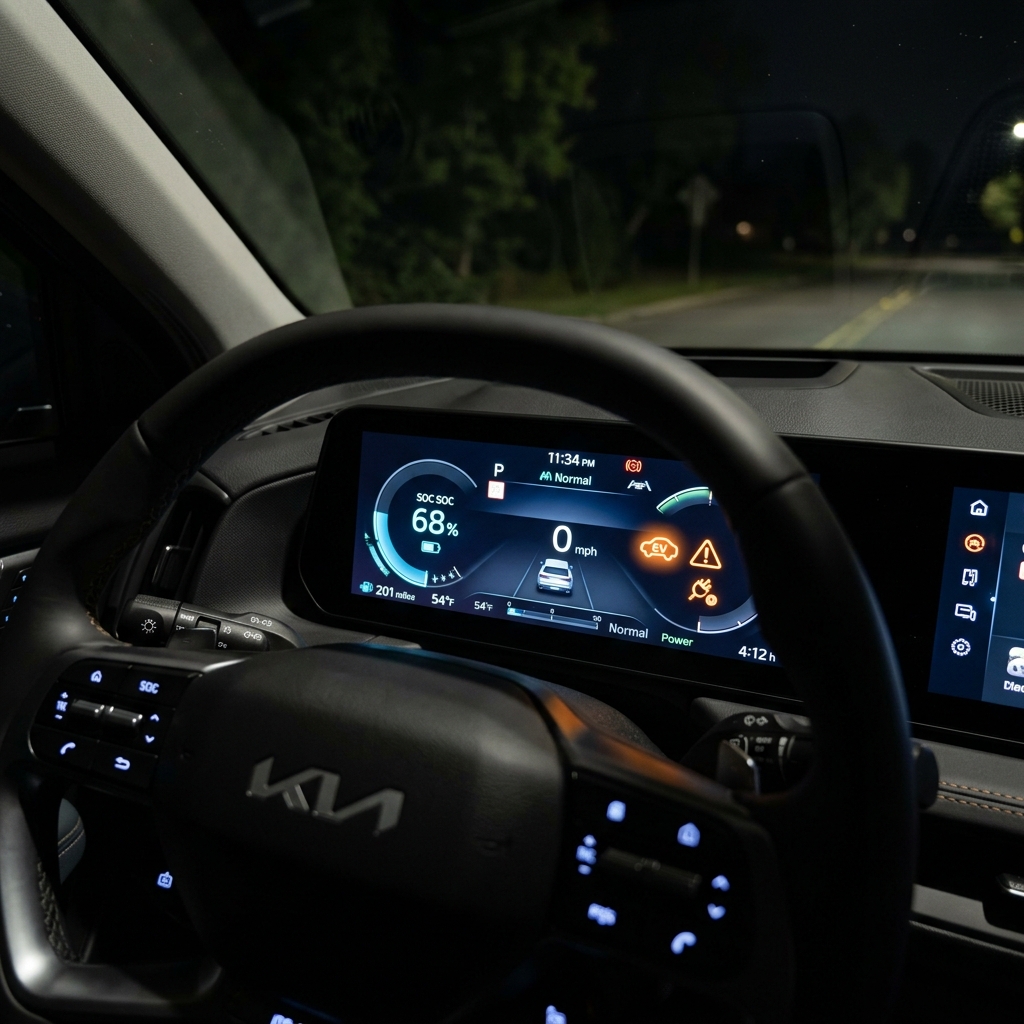
How to judge EV3 warning lights quickly
- Red: stop or inspect immediately. Brake, 12V charging, EPS, airbag, and front-attention warnings belong here.
- Amber: you may still be able to drive, but you need to identify the cause soon. ABS, TPMS, EPB, ESC, AEB, master warning, DAW, and EV battery alerts are common examples.
- Green or blue: many are status indicators. READY is important because it confirms the car is actually drive-ready.
- EV-specific: power-down, high-voltage battery, and battery conditioning affect output, charging, and route planning.
16 EV3 warning lights worth checking first
Some lights appear briefly during startup and then disappear as part of a normal self-check. The real problem is a light that stays on while driving, starts flashing, or appears together with reduced power, steering changes, braking changes, or a text message.
| Type | Light | Meaning | What to do now |
|---|---|---|---|
| Immediate |  Parking brake and brake fluid Parking brake and brake fluid | Parking brake applied, low brake fluid, or a brake-system issue | Slow down safely, stop, and do not keep driving if it stays on |
| Immediate |  Charging system Charging system | 12V support battery or charging-system fault | Reduce electrical load and arrange a prompt inspection |
| Immediate |  Electronic power steering Electronic power steering | Steering assist malfunction | If the wheel feels heavy, slow down and stop in a safe place |
| Immediate |  Airbag Airbag | Airbag-system fault | Do not leave it unresolved because crash protection may be reduced |
| Immediate |  Front attention Front attention | Driver-monitoring camera or related safety issue | Rest immediately on a long drive and inspect the interior camera area |
| Check soon |  ABS ABS | Anti-lock braking fault | Braking still works, but emergency support may be reduced |
| Check soon |  Low tire pressure Low tire pressure | Low pressure in one or more tires | Check all four tires before your next high-speed run |
| Check soon |  Electronic parking brake Electronic parking brake | EPB-system issue | Check apply and release behavior, then book service if it stays on |
| Stability |  ESC ESC | Electronic stability-control intervention or fault | Flashing can mean active control; steady light means you should inspect it |
| Safety assist |  AEB AEB | Forward collision-assist fault or blocked sensor | Clean the camera and sensors first, then recheck |
| Combined |  Master warning Master warning | A system message or fault is waiting somewhere else | Read the message panel before you assume it is minor |
| Driver state |  Driver attention warning Driver attention warning | Break recommendation, blocked front camera, or a system fault | Take the break seriously and inspect the camera area |
| EV core |  Power down Power down | Output is being limited to protect the EV system | Avoid hard acceleration and check battery level, temperature, and cooling status |
| EV core |  High-voltage battery level High-voltage battery level | Drive battery charge is too low | Change the plan and head for a nearer charger first |
| Status |  READY READY | On means drive-ready; off or blinking can mean a fault or not-ready state | Confirm READY before you select drive and move off |
| Battery management |  Battery conditioning Battery conditioning | Battery-temperature optimization is active | Treat it as a status cue unless another warning or message appears with it |
Icons were checked against the official 2025 Kia EV3 warning-light source. The shared Kia library can still show symbols that are not central to this EV article, so confirm your exact year and specification on the official page.
1. Red lights still mean stop first, even in a small EV
Brake, charging, EPS, airbag, and front-attention warnings are not “watch it later” signals. The EV3 may feel calm and refined even when something is wrong, so you cannot rely on noise or vibration alone. If the red light stays on, treat the dashboard message and the way the car feels as one package.
2. ABS, TPMS, EPB, AEB, and DAW matter more than they look
These lights often appear in everyday urban driving: short hops, parking ramps, wet roads, curb impacts, camera contamination, and uneven tire wear. Because the EV3 is easy to drive, it is tempting to postpone the check. That is exactly how a minor signal turns into a bigger inconvenience later.
3. Power down, battery level, and READY are the EV3 trio to understand
The official EV3 explanation for the power-down warning is broader than many drivers expect. It can point to limited output caused by low high-voltage battery level, falling battery voltage, battery or motor temperature, cooling-system trouble, or another condition affecting normal driving. If the car suddenly feels slower or weaker on a merge or climb, this is the light to think about first.
High-voltage battery level is your signal to rethink the route, while READY tells you whether the car is actually prepared to move. EVs are quiet, so the READY light deserves more attention than it would in a combustion car.
4. Battery conditioning is not the same kind of warning as driver attention
Battery conditioning can appear during cold-weather charging or temperature management and may simply mean the EV3 is optimizing the pack. Driver-attention and front-attention warnings are different because they can involve fatigue, distraction, or blocked camera hardware. One is about battery preparation; the other is about safe human supervision.
5. Change the model year on the official page before you trust a match
This article is organized around the 2025 Kia EV3 SV1. Even with the same model name, a later software release, trim package, or a different model year can change the explanation, the icon set, or the surrounding message. Use the official year selector on the owner's manual page before you make a decision on your own car.
In short, EV3 warning lights are easier to handle when you split them into stop-now red alerts, inspect-soon amber alerts, and EV-specific battery or power signals. When the symbol feels ambiguous, compare it directly against the official warning-light page instead of relying on a guess.